Top 10 Odoo ERP Modules Every Manufacturing Business Must Use
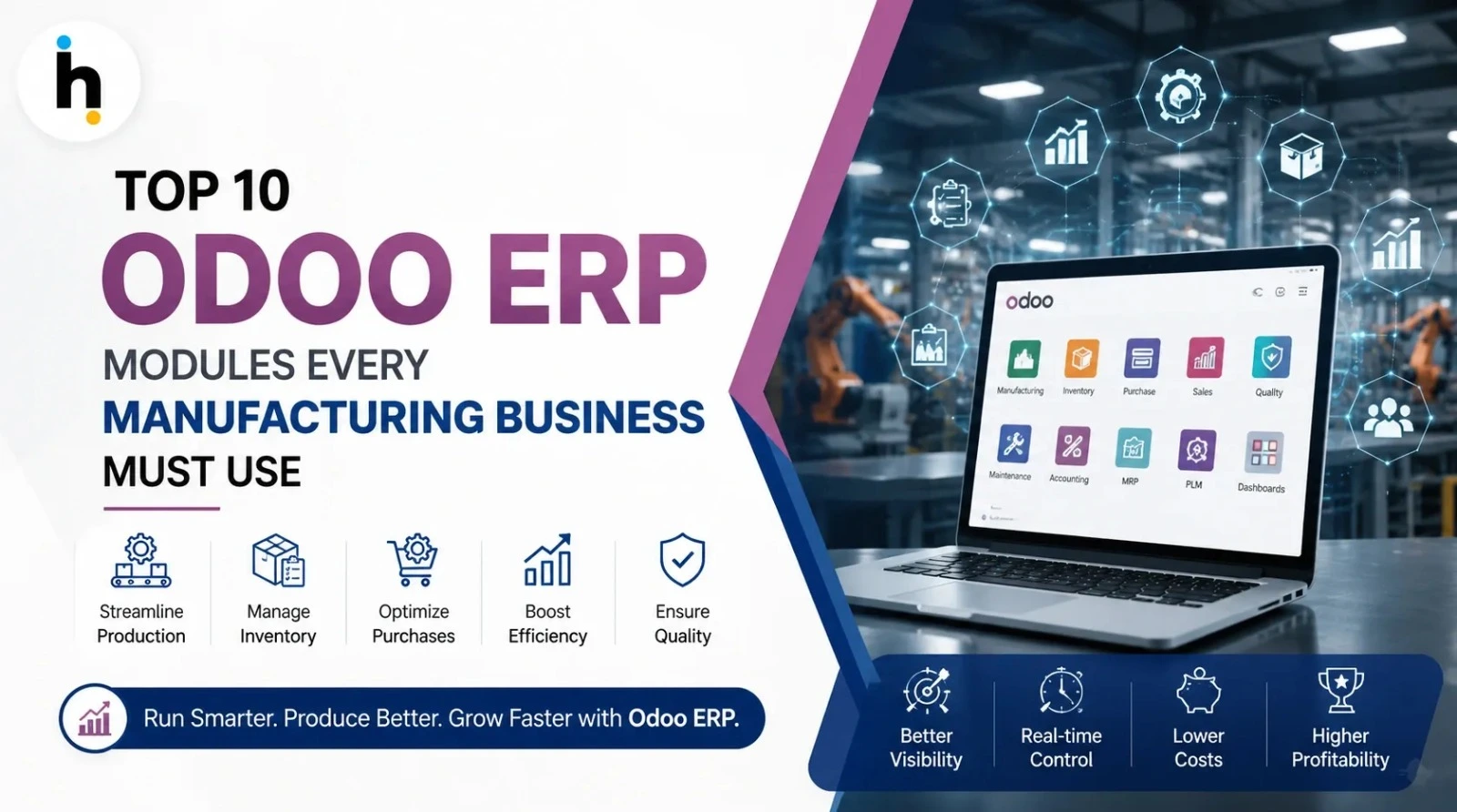
Manufacturing businesses today run on more moving parts than most outsiders realize. Raw material planning, machine scheduling, quality checks, purchase cycles, and delivery timelines all have to move in sync, not in isolation. When these functions live in separate spreadsheets, standalone tools, or software that does not talk to each other, small delays quietly turn into missed deliveries and rising costs. This is where a properly configured Odoo ERP system changes the picture. Instead of forcing your team to jump between disconnected screens, Odoo brings production, inventory, purchase, quality, and finance into one connected environment where information flows in real time and decisions are based on what is actually happening on the shop floor, not what was true last week.
Common Manufacturing Challenges That Push Businesses Toward an Odoo ERP System
Most manufacturers do not go looking for an ERP because it sounds impressive. They go looking because a specific pain point has become too expensive to ignore.
- Production Planning: Work orders scheduled without visibility into machine load, causing idle capacity on some lines and bottlenecks on others.
- Inventory Management: Stock counts that do not match reality, leading to excess raw material or last minute shortages.
- Quality Control: Inspection results scattered across paper or isolated files, making root cause tracing difficult.
- Purchase Management: Reordering based on habit rather than actual consumption trends and supplier lead times.
- Sales Coordination: Delivery dates promised without knowing true production capacity.
- Warehouse Management: Manual put away and picking that slows dispatch and increases errors.
- Cost Tracking: Product costing that only becomes clear at month end, after pricing decisions are already made.
- Supply Chain Visibility: No single view of materials, work in progress, and finished goods at any given moment.
- Real Time Reporting: Management relying on outdated reports describing last week's factory, not today's.
- Compliance: Difficulty proving traceability during audits or customer quality reviews.
These are operational problems, not software problems in isolation, and the right ERP structure can genuinely solve them once modules are configured to match how the factory actually works.
Top 10 Odoo Modules Every Manufacturing Business Must Use
1. Hummingbird Innovations: Your Partner for the Right Odoo ERP Implementation
Before individual modules, it helps to address who actually configures all of this correctly. Hummingbird Innovations works with manufacturers as an Odoo implementation and customization partner, helping them identify which modules their production process actually needs.
Key Features: Process mapping before configuration, phased Odoo implementation, and hands on support during customization and go live.
Business Benefits: A shorter path to a working system and configuration decisions grounded in how the floor actually operates, not generic templates.
Real Manufacturing Example: For a packaging manufacturer running three lines with frequent changeovers, mapping requirements upfront often reveals that tighter Manufacturing and Quality integration matters more than a long module list.
Who Should Use It: Businesses evaluating Odoo Migration from legacy systems, or those whose earlier generic rollout did not match their process.
Future Value: A familiar implementation partner reduces friction when scaling Odoo integration to new locations later.
2. Manufacturing Module
Overview: The operational core, covering work orders, bills of materials, routings, and production scheduling.
Key Features: Multi level bills of materials, work center capacity planning, shop floor control via tablets.
Business Benefits: Clear visibility into what is being produced, where, and by when, replacing whiteboards and verbal handoffs.
Real Manufacturing Example: A furniture maker with subassemblies — frames, cushions, finishing — tracks each stage separately while rolling up costs into one finished product.
Who Should Use It: Any business with a defined production process, from discrete manufacturing to light assembly.
Future Value: The foundation for later automation, including machine data capture and predictive scheduling.
3. Inventory Module
Overview: Manages stock across one or more warehouses, tracking movement from receipt to shipment.
Key Features: Multi step routes, lot and serial tracking, automated replenishment rules.
Business Benefits: Accurate stock visibility that prevents overstocking and stockouts, plus faster counts.
Real Manufacturing Example: An electronics assembler using serial tracking traces a faulty component to its incoming batch within minutes instead of days.
Who Should Use It: Businesses managing materials or goods across more than one storage location.
Future Value: Provides transaction level data that later powers demand forecasting.
4. Purchase Module
Overview: Handles vendor management, purchase agreements, and reorder workflows.
Key Features: Automated purchase suggestions from stock rules, vendor price comparison, approval workflows.
Business Benefits: Fewer emergency orders and a stronger negotiating position through vendor performance visibility.
Real Manufacturing Example: A metal fabrication unit sets minimum stock rules for sheet metal so purchase requests generate automatically before production is affected.
Who Should Use It: Any manufacturer managing more than a handful of suppliers or material categories.
Future Value: Feeds cost and lead time data into more accurate production planning.
5. Quality Module
Overview: Structures inspection points and non conformance handling directly into the production process.
Key Features: Configurable quality control points, control charts, alerts tied to specific work orders or vendors.
Business Benefits: Defects get caught earlier and traced to their source instead of surfacing at final inspection.
Real Manufacturing Example: A food processor enforces a mandatory check before a batch moves to packaging, with results logged automatically for audits.
Who Should Use It: Regulated industries and any manufacturer with strict customer quality expectations.
Future Value: Builds the documentation trail needed for compliance renewals with little extra manual effort.
6. Maintenance Module
Overview: Tracks equipment, scheduled maintenance, and breakdown history.
Key Features: Preventive maintenance calendars, equipment downtime logs, requests linked to specific machines.
Business Benefits: Reduces unplanned downtime by catching wear before it causes a stoppage.
Real Manufacturing Example: A plastics manufacturer schedules mold maintenance by cycle count rather than calendar guesses, extending tool life.
Who Should Use It: Any operation where machine uptime directly affects output and delivery.
Future Value: Historical maintenance data becomes the basis for predictive maintenance as sensor connectivity expands.
7. PLM Module
Overview: Manages product lifecycle changes, including engineering change orders and bill of materials version control.
Key Features: Document versioning, change approval workflows, a direct link between engineering and production data.
Business Benefits: Prevents production from running on outdated specifications when a product changes.
Real Manufacturing Example: An automotive component supplier pushes a design revision through approval and sees it reflected in the exact production routing, with no parallel spreadsheet update.
Who Should Use It: Manufacturers with frequent design iterations or engineered to order products.
Future Value: Keeps engineering and production aligned as complexity and customization increase.
8. Accounting Module
Overview: Handles financial transactions, including landed costs, product costing, and production data integration.
Key Features: Automated costing from actual material and labor consumption, multi currency support, real time reporting.
Business Benefits: Product costs reflect what actually happened on the floor, not month old estimates.
Real Manufacturing Example: A textile manufacturer sees true margin by product line as soon as a work order closes, instead of waiting for month end reconciliation.
Who Should Use It: Every manufacturing business, since financial visibility should never lag behind operations.
Future Value: Supports better pricing decisions as raw material costs fluctuate.
9. Sales Module
Overview: Manages quotations, order confirmation, and delivery scheduling alongside production capacity.
Key Features: Available to promise logic, quotation templates, direct visibility into production timelines.
Business Benefits: Sales teams commit to delivery dates that production can actually meet.
Real Manufacturing Example: A machinery manufacturer checks current work order backlog before confirming a delivery date, avoiding overpromising.
Who Should Use It: Any manufacturer that sells directly rather than solely through distributors.
Future Value: Connects customer demand data directly into production planning as order volume grows.
10. Barcode Module
Overview: Adds scanning based workflows to receiving, picking, put away, and production reporting.
Key Features: Mobile barcode scanning, batch and lot capture, real time stock updates on scan.
Business Benefits: Fewer manual entry errors and faster warehouse operations.
Real Manufacturing Example: A consumer goods manufacturer cuts picking errors by having staff scan each item instead of recording quantities by hand.
Who Should Use It: Any factory with a warehouse or dispatch area handling meaningful transaction volume.
Future Value: Lays the groundwork for further automation, including future automated storage integration.
How These Modules Work Together
None of these modules operate as islands. A work order in Manufacturing consumes stock tracked in Inventory, which can trigger a Purchase suggestion, subject to a Quality check, using equipment tracked in Maintenance, based on a PLM controlled specification, costed automatically in Accounting, committed to a customer through Sales, and moved physically using Barcode. That is the real value of an Odoo ERP deployment: one operational picture, not several disconnected tools. Getting that picture right depends less on which modules you install and more on the Odoo integration decisions made during setup, which is why Odoo customization services matter as much as the licensing itself.
How to Choose the Right Odoo ERP Modules for Your Factory
- Factory Size: A ten person job shop does not need the same module depth as a two hundred person multi line facility. Start with what solves today's bottleneck.
- Industry Type: Regulated industries such as food, pharma, or automotive components should prioritize Quality and PLM earlier than a general assembly business would.
- Production Complexity: Multi level bills of materials and frequent changeovers justify deeper Manufacturing and PLM configuration from day one.
- Budget: A phased rollout — starting with Manufacturing, Inventory, and Purchase, then expanding with a partner such as Hummingbird Innovations — is usually more sustainable than deploying everything at once.
- Automation Requirements: If barcode scanning or machine data capture is a near term goal, plan the Barcode and Maintenance modules into the initial scope rather than retrofitting later.
- Future Expansion: Consider whether the business plans to add locations or product lines within the next few years, since this affects how Inventory and Sales should be configured from the start.
Mistakes Manufacturing Businesses Should Avoid During ERP Adoption
- Poor Planning: Configuring before mapping the actual production process creates a system that fights how people already work.
- No Employee Training: Even a well configured system fails if shop floor staff do not know how to use it.
- Ignoring Data Migration: Moving over incomplete or inaccurate historical data creates problems that surface months later.
- Incomplete Testing: Skipping real world testing before go live invites disruption on day one.
- Wrong Module Selection: Installing every available module regardless of need adds complexity without value.
- No Customization Strategy: Treating every process as identical to the default template ignores what makes the factory different.
- No Integration Planning: Failing to plan Odoo integration with existing accounting or CRM tools early creates rework later.
- Weak Change Management: Rolling out a new system without clear internal communication breeds resistance and workaround habits.
Future of Manufacturing with Odoo ERP and AI
The next phase of manufacturing ERP is less about adding modules and more about connecting the data those modules already hold. AI forecasting is improving demand planning accuracy by learning from historical sales and seasonal patterns rather than relying purely on manual projections. Predictive maintenance is shifting from calendar based schedules to condition based alerts as machine connectivity and IoT integration become accessible to mid sized manufacturers, not just large enterprises. Business intelligence and smart dashboards give operations heads one real time view instead of a stack of weekly reports. Together, these developments point toward the digital factory, where automation and Industry 4.0 principles run on the same Odoo ERP backbone already driving production, rather than a separate system layered on top.
Comparison Table: Which Odoo Module Solves Which Manufacturing Problem
| Manufacturing Problem | Odoo Module | How It Helps |
|---|---|---|
| Unclear production schedule | Manufacturing | Work order and capacity visibility |
| Inaccurate stock counts | Inventory | Real time stock tracking across locations |
| Reactive, last minute buying | Purchase | Automated reorder rules and vendor visibility |
| Defects found too late | Quality | Inspection points built into work orders |
| Unplanned machine downtime | Maintenance | Preventive maintenance scheduling |
| Outdated product specifications | PLM | Version controlled engineering changes |
| Delayed cost visibility | Accounting | Real time product costing |
| Overpromised delivery dates | Sales | Available to promise logic tied to production |
| Manual data entry errors | Barcode | Scan based warehouse and production updates |
Key Takeaways
- Manufacturing ERP success depends more on module selection and configuration than on the number of features installed.
- Process mapping before configuration, done with an experienced implementation partner, reduces costly missteps.
- Odoo implementation should be phased around real business priorities, not deployed all at once.
- Odoo customization services matter most when they reflect the actual production process, not a generic template.
- Odoo integration between modules, and with existing business tools, is what turns individual apps into one operational system.
- Odoo migration from legacy systems should be planned around clean, verified data.
Conclusion
The businesses that get the most value from Odoo are rarely the ones that installed every available module. They are the ones that took the time to understand their own production process first, then chose modules that matched real bottlenecks rather than a generic checklist. A thoughtful Odoo ERP rollout — supported by proper Odoo implementation planning, sensible Odoo customization services, careful Odoo integration with existing tools, and a clean Odoo migration where legacy data is involved — tends to outperform a rushed, everything at once deployment every time. If you are evaluating where to start, mapping your actual workflow before touching configuration screens is the single most useful step you can take, and working through that mapping with an experienced partner such as Hummingbird Innovations can shorten the distance between where your factory operates today and where you want it to run tomorrow.
Frequently Asked Questions
Share This Article

Hummingbird Innovations LLP
Experts in ERP, CRM, software development, and digital transformation solutions for growing businesses.



Categories
Popular Tags
🚀
Need Expert Consultation?
Connect with our experts to discuss your software, ERP, CRM, or automation requirements.
Call us Directly Connect on WhatsappExplore Our Services
Helping businesses streamline operations, automate processes, and accelerate growth.
